 Product image from current catalog data
Product overview
ScanSnap iX1600: What to Know
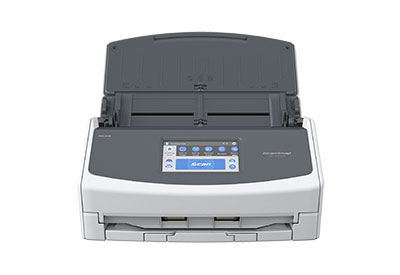
Fujitsu (now sold under Ricoh/PFU) built the iX1600 as the flagship of the ScanSnap consumer line, and according to the manufacturer's own product page it scans at up to 40 ppm / 80 ipm for A4 color duplex pages at 300 dpi, about 33% faster than the iX1500 it replaced. That speed only holds in the Auto, Normal, and Better quality modes; switching to Excellent mode (600-1,200 dpi) drops throughput to roughly 10 ppm and also requires a direct computer connection rather than Wi-Fi.
The ADF holds up to 50 sheets of standard 20 lb paper, which is smaller than the 100-sheet feeders on several competitors here, a meaningful tradeoff if you're clearing out banker's boxes rather than a weekly mail pile. Connectivity covers USB (3.2 Gen1 down to 1.1, Type-B) and dual-band Wi-Fi (2.4/5 GHz), but there's no Ethernet port, so it's not built for a shared network drop the way the Brother is.
What sets it apart is the software stack: ScanSnap Home 2.0 handles on-device organizing and can process 10 double-sided pages in about 25 seconds per Fujitsu's own figures, ScanSnap Cloud can push scans straight to cloud services without a computer in the loop, and the bundle includes Kofax Power PDF Standard and ABBYY FineReader for OCR and searchable-PDF creation. The 4.3-inch touchscreen supports up to 30 customizable one-touch scan profiles.
One gap worth flagging: neither Fujitsu's product page nor its manuals publish an official daily duty cycle or recommended maximum volume for the iX1600, unlike Brother and Epson, which both state a figure. That's likely because it's positioned as a home/small-office device rather than a workgroup machine, but buyers who need a hard number for procurement purposes won't find one from the manufacturer.
Key Listed Features
40 ppm / 80 ipm color duplex scanning (A4, 300 dpi) in standard quality modes
4.3-inch touchscreen with up to 30 customizable scan profiles
Wi-Fi (2.4/5 GHz) and USB 3.2 connectivity, no PC required for cloud scans
ScanSnap Home 2.0 plus bundled Kofax Power PDF Standard and ABBYY FineReader for searchable PDFs