TopFiveFind may earn from qualifying purchases. Rankings are editorial starting points, not hands-on test claims.
5 Best Webcams for Video Calls in 2026 (Real Specs)
Five current webcams that upgrade video calls beyond a laptop's built-in camera, compared on sensor size, resolution, low-light claims, and framing tech.
Quick answer
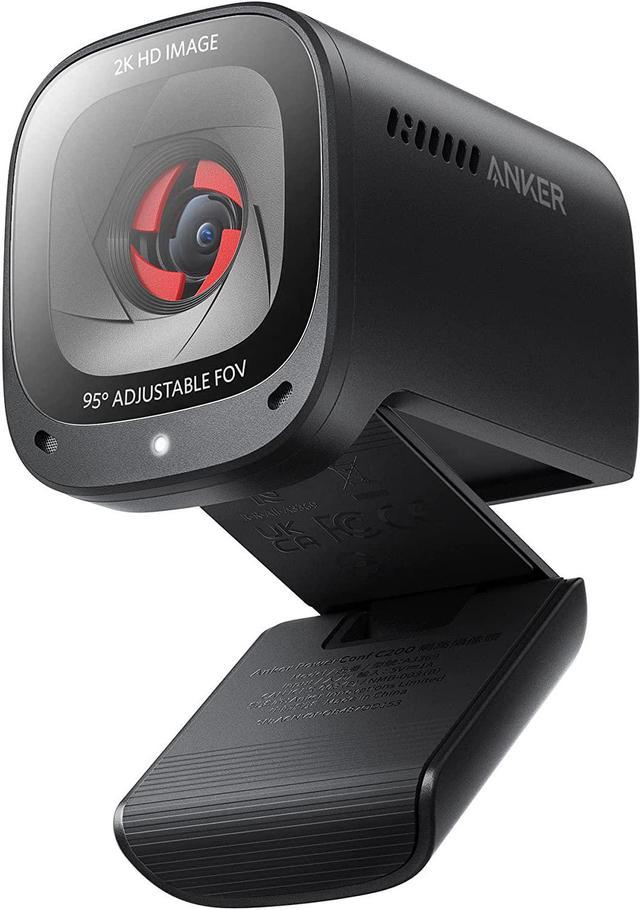
For most people upgrading from a laptop's built-in camera, the Logitech MX Brio is the safest all-around pick: a 90-degree Sony STARVIS sensor, autofocus, and dual mics that work with Teams, Zoom, and Meet without fuss. If you want the largest sensor in the category for low-light rooms, the Razer Kiyo Pro Ultra earns that spot on paper, though its 'DSLR-like' claims are Razer's own marketing language, not an independent measurement. Note one substitution: Elgato discontinued the Facecam Pro in February 2026 and replaced it with the Facecam 4K, so that's the Elgato model featured here instead of the original 4K flagship. Anker's PowerConf C200 remains the honest budget option if you just want a real upgrade over a laptop cam without spending flagship money.
Updated September 2026Advertising DisclosureTop Relevant
How this was made: AI-assisted research and drafting organize the evidence. Exact product identity, source claims, owner-feedback patterns, conflicts, and publication checks are documented before indexing. No hands-on or human-expert testing is claimed unless a page explicitly shows that evidence. Read the full methodology.
#1
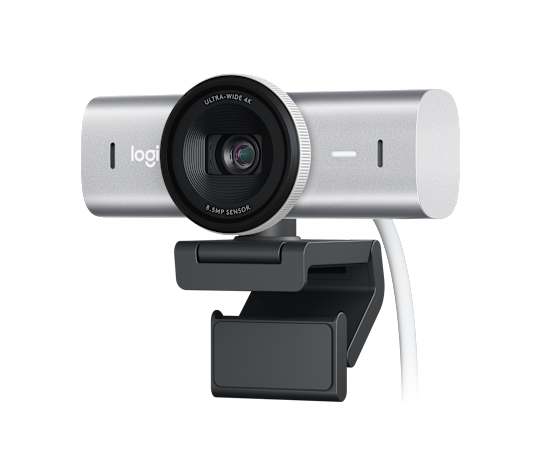
Logitech MX Brio Ultra HD 4K Webcam with Noise Reducing Microphones, AI-Enhanced Image Quality, Privacy Protector and USB-C Connection - Graphite
Logitech
Why we like it
Sony STARVIS 1/2.8-inch sensor with 1.45μm pixels
4K at 30fps or 1080p at 60fps, 90-degree diagonal FOV
Closed-loop autofocus with RightSight auto-framing
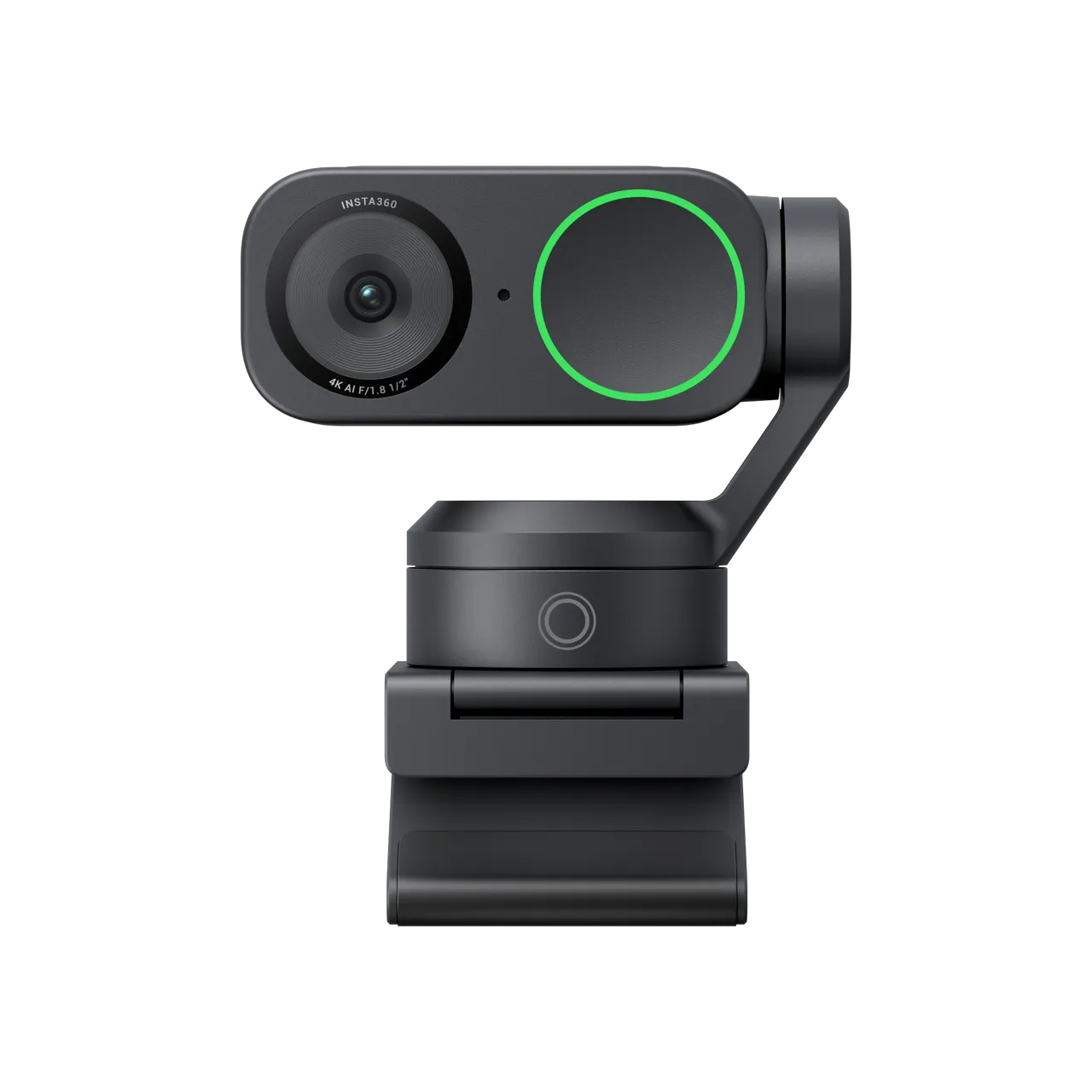
Insta360 Link 2 - PTZ 4K Webcam for PC/Mac, 1/2" Sensor, AI Tracking, HDR, AI Noise-Canceling Mic, Gesture Control for Streaming, Video Calls, Gaming, Works with Zoom, Teams, Twitch & More
Insta360
Why we like it
Two-axis mechanical gimbal with AI tracking (pans/tilts to follow you)
1/2-inch sensor, up to 4K30 with 4x digital zoom, 79.5° FOV
Dual mic array (omnidirectional + directional) with AI noise cancellation
Razer Kiyo Pro Ultra 4K Webcam, Large Sensor, Built-in Mic and Shutter | Auto Light Correction, Pro Grade Content Creation, Streaming, Gaming, Video Calls, Works with PC, OBS, Zoom, Teams
Razer
Why we like it
1/1.2-inch Sony STARVIS 2 sensor, f/1.7 aperture, 2.9μm pixels
4K30 native capture; uncompressed output listed at 4K24/1440p30/1080p60
AI facial-tracking autofocus, HDR at 30fps, optical (lens) bokeh
How We Compared These 5 Webcams That Make Video Calls Look Noticeably Better
This guide is desk research, not a hands-on test: we pulled specs and claims directly from each manufacturer's current product pages and spec sheets, cross-checked them against the live Amazon.com listing for that exact model, and flagged it wherever a source's numbers didn't line up cleanly (for example, Razer's own materials list both a 30fps raw 4K capture and a 24fps uncompressed 4K output). Marketing language around 'low-light performance' and 'image quality' is vendor-stated and inherently subjective, a sensor's size and aperture are measurable facts; how 'good' the resulting image looks is not something we verified ourselves.
5 Webcams That Make Video Calls Look Noticeably Better Buying Questions
Do I actually need 4K resolution for video calls?
Most call software (Zoom, Teams, Meet) still compresses and caps outgoing video well below 4K, often around 1080p or lower, so a 4K sensor's main benefit for calls is usually better detail and dynamic range at 1080p output rather than the other participants seeing true 4K. 4K matters more if you're also recording or streaming the same feed.
Does a bigger sensor really make a webcam look better?
A larger sensor with bigger individual pixels physically gathers more light, which generally helps in dim rooms and reduces visible noise, that part is measurable. Whether the resulting image looks 'sharper' or 'more professional' is a judgment call that depends on lighting, software processing, and personal taste, so treat brand claims about image quality as a starting point, not a guarantee.
Do I need a separate microphone if my webcam already has one built in?
Built-in webcam mics have improved, but they're still small and close to a noisy PC or desk, so a dedicated USB or lavalier mic will usually sound clearer to the other side of the call. The webcams below with strong mic specs are fine for casual meetings; treat their audio as a convenience, not a substitute for a real mic if audio quality is your priority.
Similar Products You Might Like
Elgato Facecam 4K, 4K60 Studio Webcam, DSLR-Like Contro...